Stats
How much you have stitched, how long it took, and how far along everything is.
This feature requires the Full Version.
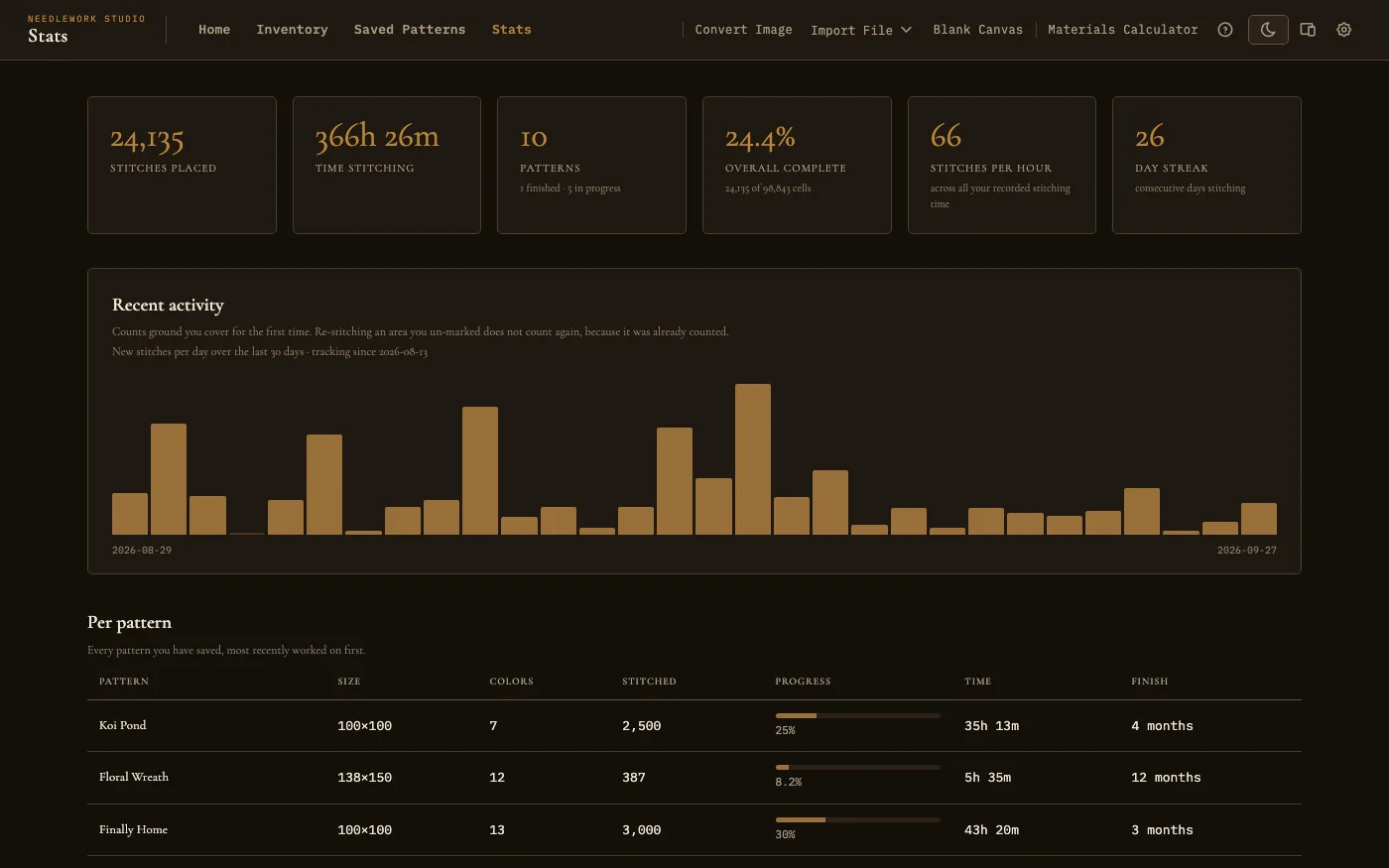
The Stats page: your totals, the last 30 days, and each pattern
Overview
The Stats page is in the top menu, next to Saved Patterns. It gathers up everything the app already knows about your stitching and puts it in one place: how many stitches you have placed, how long you have spent, how many patterns are finished, and how far along each one is.
Nothing here needs setting up. It is built from the progress you mark and the time the viewer records while you stitch.
The Summary Cards
Across the top:
- Stitches placed - Every stitch you have marked as done, across all your patterns.
- Time stitching - Total recorded time. This comes from the viewer's session timer, which pauses when you switch away and resumes when you come back, so it reflects time actually spent stitching rather than time with the app open.
- Patterns - How many you have, with finished and in progress underneath. A pattern you have saved but not started counts in neither, so those two will not always add up to the total.
- Overall complete - Your progress across everything, with the count behind it, such as 6,480 of 14,400 cells.
Two more cards appear once there is enough to base them on:
- Stitches per hour - Your average across all recorded stitching time. It needs about ten minutes on the clock before it appears, because a pace built on a few seconds is noise. It also stays hidden when the number comes out implausibly high, which happens when stitches arrive without matching time behind them: restoring a backup, or picking up a pattern from another computer for the first time. Rather than announce a pace of 160,000 an hour, it says nothing until your own stitching evens it out.
- Day streak - Consecutive days you have stitched. It only appears while you have one going. A streak counts yesterday, so it does not reset just because you have not started today yet.
Recent Activity
The chart shows your stitching day by day. Days you did not stitch show as gaps rather than being skipped over, so a break looks like a break.
Hover over a day's bar to see how many stitches you placed that day and how long you stitched.
It counts ground you cover for the first time. Re-stitching an area you had un-marked does not get counted again, because it was counted the first time. This keeps the chart honest if you unpick something and redo it.
The chart covers the last 30 days, and moves along with you. It is a window on recent stitching rather than a full record, so a day drops off the left edge once it is a month behind. Your totals and the per pattern table below are not windowed, and count everything.
Per Pattern
Below the chart is every pattern you have saved, most recently updated first, with a row each. Saving, importing and syncing all count as updating, so after a sync the order can reflect when patterns arrived rather than when you last stitched them:
- Pattern, Size, and Colors - What it is and how big.
- Stitched and Progress - How many stitches you have placed and how far that gets you.
- Time - Recorded time on that pattern.
- Finish - Roughly how long until you are done, at your pace on that piece, such as 3 weeks or 5 months. Hover over it to see the date it works out to. A finished pattern says done.
A finish estimate needs stitching on at least three separate days within the last 30 days, the same window the chart shows. Days rather than hours, because the estimate is built from your real cadence including the days you do not stitch, so a whole weekend on one piece still will not produce one until a third day lands. Rest days inside that window are counted in, so a project you only pick up now and then shows a longer estimate than the pace of your last session. A project you have not touched in the last month shows a dash until you have stitched on it for three days again.
Some patterns never show an estimate, on purpose. One with nothing left to stitch, and one whose estimate lands more than about three years out, show a dash rather than a number that is really a shrug.
On a phone, the table scrolls sideways inside its own box rather than dragging the whole page with it.
If You Stitch on More Than One Computer
Your stitching history belongs to your account, not to one machine. Days you stitched on the desktop show up on the laptop's chart, on the days they actually happened, and your streak and finish estimates count them too.
History travels with the regular sync, so give it a moment to catch up after you switch machines. If a day looks missing right after you sit down at another computer, sync and check again. See Desktop Sync for how that works. Syncing between computers needs the Full Version + Server license.
What Counts as a Stitch
Backstitches, French knots, beads, and part stitches count alongside full crosses, as long as you have marked them. Blackwork and bead-heavy patterns show real numbers here rather than sitting at zero. See Pattern Viewer for how to mark them.