Convert a Photo to a Cross-Stitch Pattern
Open a photo and Needlework Studio turns it into a cross-stitch chart. Each color is matched to a real DMC, Anchor, or Mill Hill thread, and you set the grid size, the number of colors, and the crop. Then stitch it or export it.
macOS, Windows & Linux · No account · Works offline
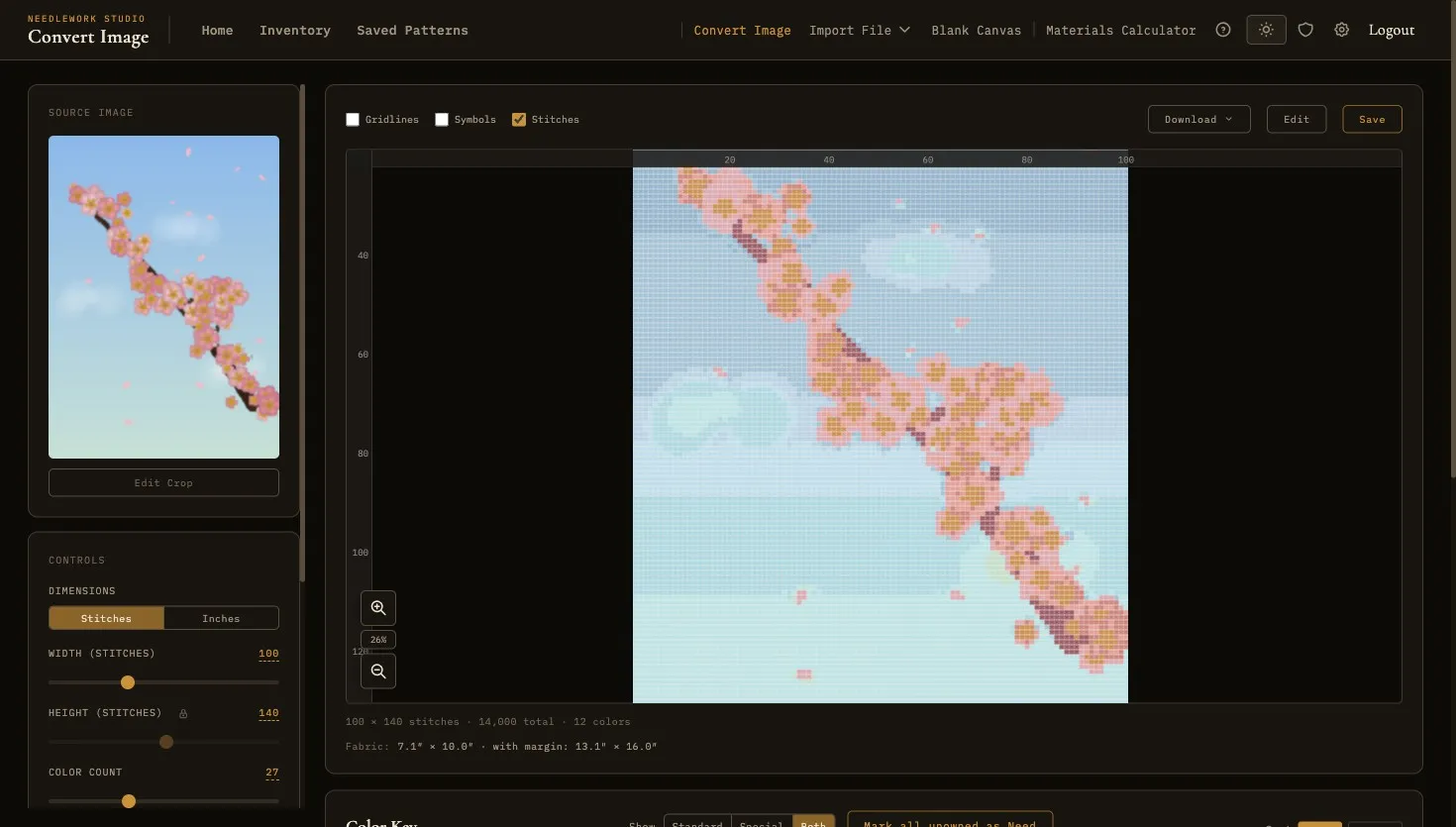
From photo to chart in three steps
Open a photo, set a few options, and you have a chart. You decide how much detail and how many colors.
Step 1
Upload a photo
Open any JPG or PNG, a pet portrait, a landscape, a logo, a family photo, and crop it to the part you want to stitch.
Step 2
Adjust the settings
Set the grid size and number of colors, then adjust contrast and brightness.
Step 3
Stitch or export
Keep editing the chart in the pattern editor, track your progress as you stitch, or export it to PDF, PNG, or SVG.
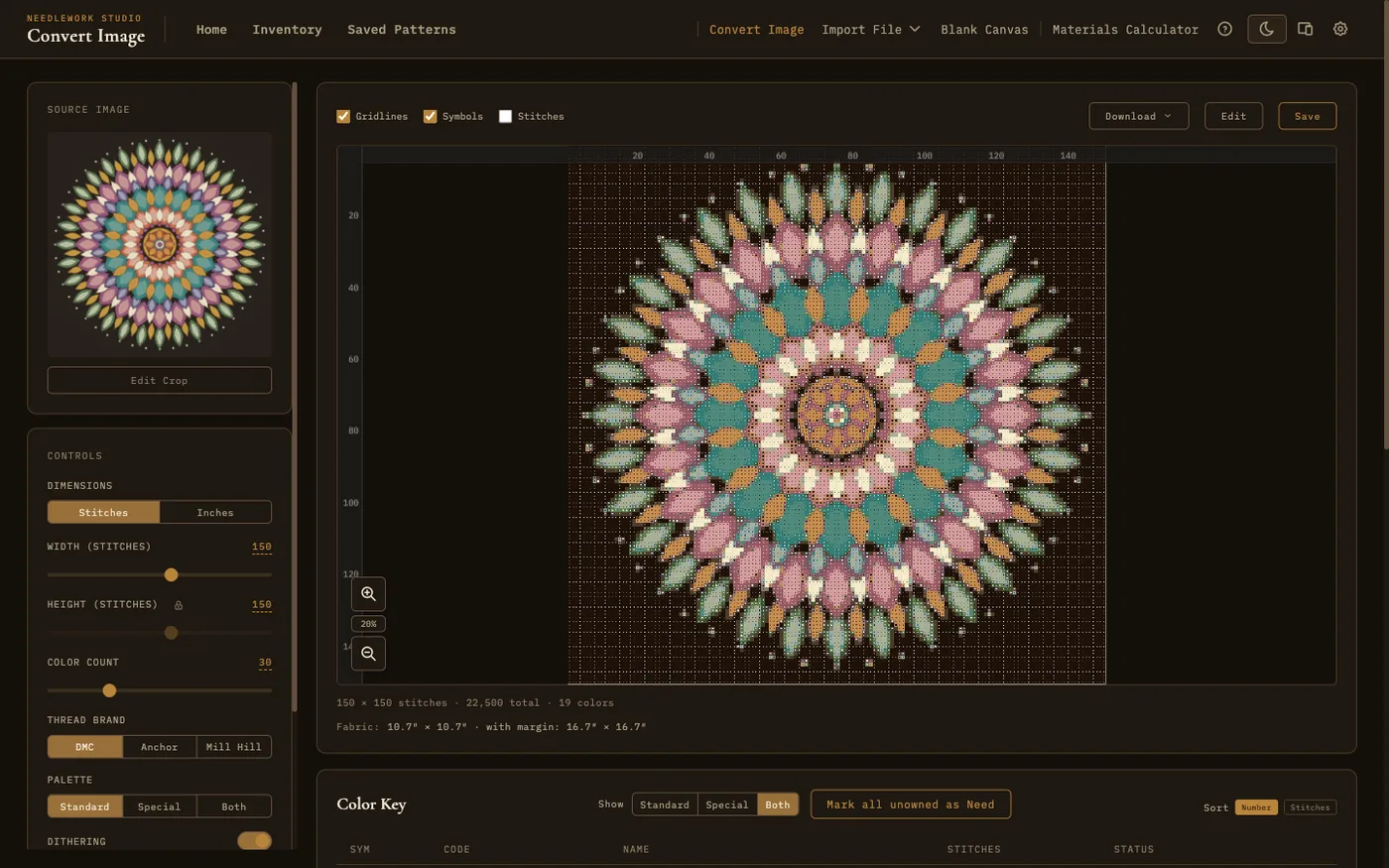
Start with any photo
Drag in a JPG, PNG, GIF, or WebP up to 10 MB and crop to the part you want to stitch.
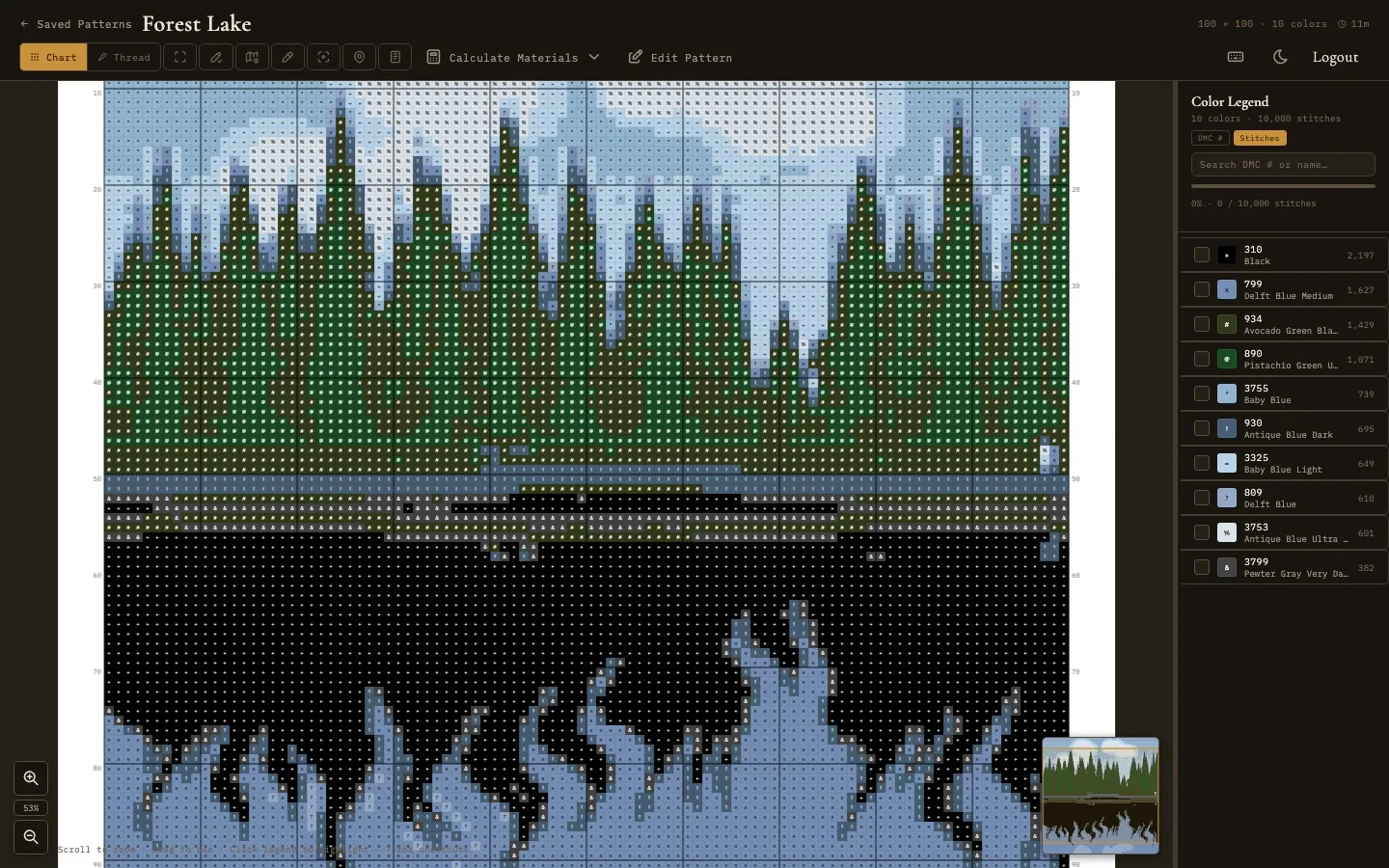
End with a chart you can stitch
Each color maps to a DMC, Anchor, or Mill Hill number with its own symbol, listed in a legend with stitch counts. Switch between chart and realistic thread views, track progress as you stitch, and export when you're done.
Made for stitching
The output is a working cross-stitch pattern: real thread numbers, symbols, a legend, and stitch counts.
Matched to real floss
Every color is matched to the nearest real thread using the CIEDE2000 color-difference formula, across 744 DMC, 441 Anchor, and 371 Mill Hill shades.
You control the detail
Set the grid size and number of colors, and adjust contrast, brightness, and crop.
Runs on your computer
The conversion runs on your computer. Your photo is never uploaded to a server, and it works offline.
Opens in the editor
The result opens in the editor and viewer: edit stitches, add backstitch, build a legend, and export to PDF, PNG, or SVG.
Try it free
The photo converter is included in the free version. Upgrade only when you want bigger, more detailed patterns.
Free
Up to 75×75, 30 colors
Enough for icons, small portraits, and trying it out. No account, no time limit.
Full Version
Up to 250×250, 100 colors
Large, detailed charts with more colors, as a one-time purchase.
Either way
Yours to keep
Patterns live on your own machine. Export them, share them to a phone or tablet, and stitch offline.
Choosing your settings
A few decisions up front make the difference between a chart that stitches well and one that fights you.
Which photos convert well
Photos with a clear subject and good contrast work best: a pet against a plain background, a bold logo, a simple landscape. Busy images with fine detail, thin branches, wispy hair, or small text tend to come out muddy, because every stitch is one solid square of color. If a photo looks unclear when you squint at it, it will look unclear as a chart.
Picking a grid size
Grid size is the stitch count, and the finished size depends on your fabric. A 100 by 100 chart is about 7 inches on 14-count Aida, or about 5.5 inches on 18-count. The free version goes up to 75 by 75, roughly 5 inches on 14-count. The full version goes to 250 by 250, or about 18 inches.
How many colors
More colors isn't always better. Every extra color is another skein to buy and another symbol to follow while you stitch. Twenty to thirty is plenty for most photos. Start low, look at the result, and add more only if the chart looks flat.
Expect to tidy it up
The chart opens in the editor, so nothing is locked in. Most photos benefit from a little cleanup by hand: smoothing a stray single stitch, adding backstitch around an edge, or merging two colors that read the same. The converter gives you a starting point, not a finished design.
Common questions
Does it work with any photo?
Any JPG, PNG, GIF, or WebP up to 10 MB. Photos with a clear subject and strong contrast give the best results. You can crop inside the app before converting, so there's no need to edit the image somewhere else first.
How big will the finished piece be?
That depends on the grid size and your fabric count. Divide the stitch count by the fabric count: a 140 by 140 chart on 14-count Aida comes out at 10 inches square. Once the pattern exists, the built-in materials calculator works out fabric and floss amounts for you.
How many colors should I pick?
Twenty to thirty works for most photos. Fewer colors give a bolder, more graphic result and less thread to buy. More colors give smoother shading but a busier chart to follow. You can convert the same photo a few times at different settings and compare before committing.
Is my photo uploaded anywhere?
No. The conversion runs on your own computer. Your photo is never sent to a server, and the whole thing works offline.
Can I edit the chart after converting?
Yes. The result opens in the pattern editor like any other pattern. Change individual stitches, add backstitch, adjust the palette, or rebuild the legend.
What thread brands can it match?
744 DMC, 441 Anchor, and 371 Mill Hill shades. Colors are matched using the CIEDE2000 color-difference formula, which compares colors closer to the way an eye does rather than by raw RGB distance. You can also add your own threads and match against those.
Can I print or export the pattern?
Yes. Export to PDF with a cover sheet and legend, or to PNG and SVG. You can also open the pattern on a phone or tablet over your home Wi-Fi and stitch from the screen.
Is the photo converter free?
Yes, up to 75 by 75 stitches and 30 colors, with no account and no time limit. The full version raises that to 250 by 250 and 100 colors, as a one-time purchase with no subscription.
Which computers does it run on?
macOS, Windows, and Linux. The same pattern files work across all three.
Turn your first photo into a pattern
Free to download on macOS, Windows, and Linux.
Colors shown on screen are approximate and may differ from actual thread colors due to monitor calibration, display settings, and lighting. Confirm against a physical floss reference before purchasing thread.